Tripods, Gimbals and Mounts: Stabilising Creator Content on Any Budget
How to choose tripods, overhead rigs, phone gimbals and clamps for creator content, what specifications matter and common set-ups for tutorials, vlogging and outfit photos.
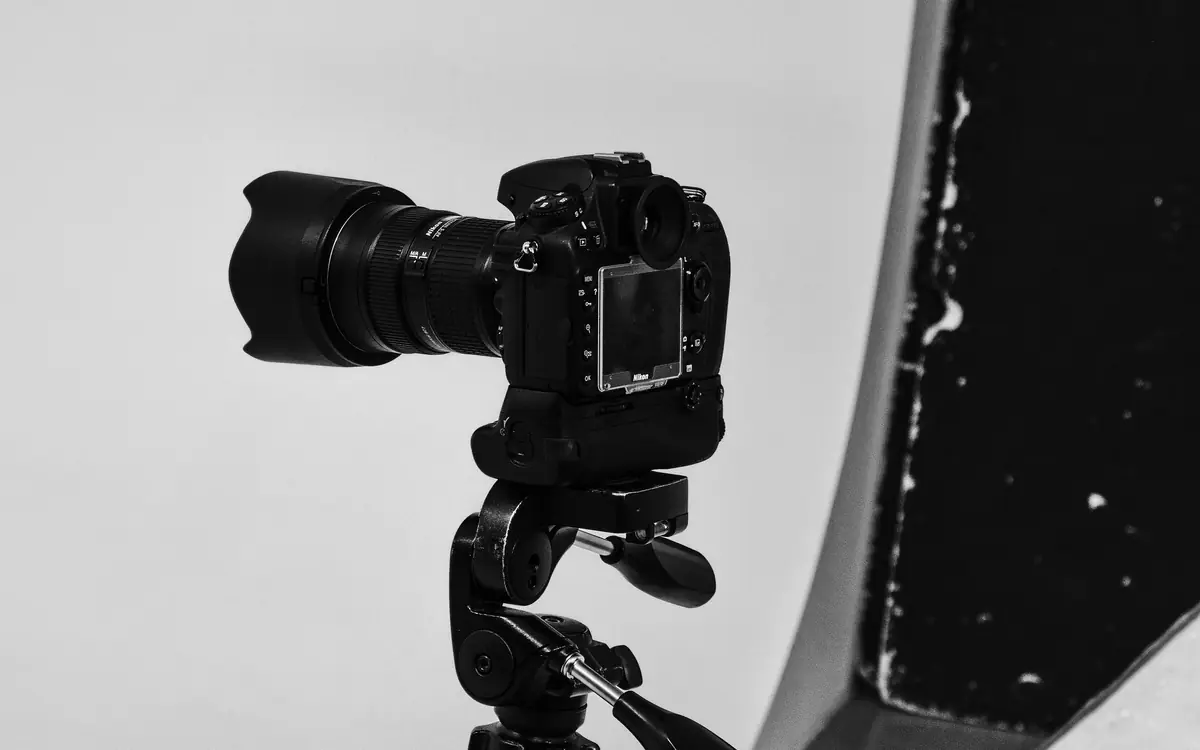
Shaky footage and wonky framing are among the quickest ways to make content look amateur. Stabilisation gear, from simple tripods to motorised gimbals, solves this, but the range of options is confusing.
This guide explains the main types, what to look for and common set-ups, based on the documented characteristics of each category. Check current reviews for specific models.
Tripods
Tabletop and mini tripods
Small, flexible tripods for desks and tables, often with bendable legs.
- Good for: desk-based talking heads, product shots, travel.
- Watch for: stability with heavier cameras; low height.
Full-size tripods
Standard tripods that extend to eye level or higher.
- Good for: outfit photos, standing videos, interviews, photography.
- Specifications that matter:
- Maximum height without extending the centre column (centre columns reduce stability).
- Load capacity: comfortably more than your camera and lens weight.
- Folded length and weight, for travel.
- Head type: ball heads are quick for photography; fluid heads give smooth pans and tilts for video.
- Quick-release plate compatibility.
- Leg locks: flip locks are fast; twist locks are compact.
Phone tripods
Lightweight tripods with phone clamps, often with Bluetooth remotes. Choose one that extends at least to chest or eye height for full-body shots.
Overhead rigs
For flat lays, cooking, crafts, drawing, unboxings and makeup product shots, an overhead camera position is essential.
Options:
- Tripods with horizontal arms: some tripods convert their centre column into a horizontal arm.
- Boom arms and C-stands: sturdy stands with extension arms, used in studios.
- Desk-mounted arms: clamp-on arms that hold a phone or light camera over a desk.
- DIY rigs: a sturdy shelf or a pole between furniture, with a clamp.
Safety matters: use counterweights such as sandbags on boom arms, and never position heavy equipment over people or food without secure fixing.
Gimbals
Motorised stabilisers that keep a phone or camera steady while you move.
Phone gimbals
- Good for: walking vlogs, travel, real-estate tours, dynamic short-form shots.
- Features: subject tracking, gesture control, fold-out designs, built-in extension rods.
- Watch for: compatibility with your phone's size and weight; app quality; battery life.
Camera gimbals
- Good for: cinematic moves with mirrorless cameras.
- Watch for: payload capacity for your camera and lens; balancing time; weight. Camera gimbals take practice.
Do you need one?
Modern phones and many cameras have strong built-in stabilisation. For many creators, a gimbal is unnecessary. Consider one if you film a lot of walking footage or want smooth, cinematic camera movement.
Clamps, mounts and accessories
- Phone clamps with cold-shoe mounts for adding microphones or lights.
- Super clamps and magic arms to mount cameras on desks, shelves or poles.
- Suction mounts for cars (check local laws about filming while driving).
- Cages for cameras, providing mounting points for accessories.
- Cold-shoe extensions to position microphones and lights.
Common creator set-ups
Talking-head desk video
- Camera on a tabletop tripod or desk arm at eye level.
- Light at 45 degrees.
- Microphone on a boom arm out of frame.
Outfit photos and videos
- Full-size phone or camera tripod at waist-to-hip height.
- Bluetooth remote.
- See our guide to outfit photos on a phone.
Cooking, crafts and flat lays
- Overhead rig with counterweight.
- Second camera for side angles if possible.
Walking vlogs
- Phone gimbal or a camera with strong stabilisation.
- Wireless lavalier microphone.
Interviews
- Two tripods for two cameras, or one wide shot.
- Fluid heads for smooth adjustments.
Budget priorities
- A full-size tripod that reaches eye level covers the most uses.
- A desk arm or tabletop tripod for desk work.
- An overhead rig if you make top-down content.
- A gimbal only if you move while filming often.
Tips for stable footage without extra gear
- Hold the phone with both hands, elbows tucked in.
- Walk with bent knees and smooth steps.
- Lean against walls or rest on surfaces.
- Use your device's stabilisation modes.
- Shoot wider and crop slightly in editing to stabilise.
Maintenance and safety
- Check leg locks and plates before each shoot.
- Do not overload tripods or arms.
- Use sandbags on stands and booms.
- Keep cables tidy to avoid trips.
- Clean and dry gear after outdoor shoots.
Stabilisation gear is unglamorous, but it is often what separates professional-looking content from the rest. Start with a good tripod, add specialist gear only for the shots you actually make, and your footage will look intentional rather than accidental.
Reading a tripod specification sheet
Specifications can be confusing. The ones that matter most:
- Maximum load: the weight a tripod is rated to hold. Choose a rating comfortably above your camera, lens and accessories combined. Many photographers suggest a margin of at least 1.5 to 2 times.
- Maximum height: the height with legs and centre column fully extended. Extending the centre column reduces stability, so note the height without it.
- Minimum height: important for flat lays and low angles.
- Folded length and weight: for travel.
- Leg locks: twist locks are compact; flip locks are fast to use. Both work.
- Head type: ball heads are quick for photos; fluid heads give smooth pans for video.
- Plate standard: many tripods use Arca-Swiss-compatible plates, which makes swapping equipment easier.
Gimbal set-up checklist
Gimbals only work well when balanced. Before every shoot:
- Mount the phone or camera with the same accessories you will use (microphone, lens).
- Balance each axis with the motors off, following the manufacturer's instructions, until the device stays put at any angle.
- Power on and run any calibration routine.
- Choose the follow mode: pan follow, lock or full follow.
- Practise the "ninja walk": knees bent, heel-to-toe steps.
- Do a short test take and check for jitter.
Matching gear to content type
| Content | Priority gear |
|---|---|
| Talking-head videos | Stable tripod at eye level |
| Flat lays and product shots | Tripod with overhead arm |
| Cooking and crafts | Overhead rig or clamp arm |
| Vlogging and walking shots | Gimbal or in-body stabilisation |
| Outfit photos | Tripod plus remote or timer |
| Live streaming | Desk mount or light stand mount |
Frequently asked questions
Is phone stabilisation good enough instead of a gimbal? Built-in stabilisation on modern phones is very capable for walking shots. Gimbals still help for smooth motion such as slow pans, orbits and long tracking shots.
Are cheap tripods worth buying? A cheap tripod can work for a light phone, but flimsy legs and heads may sag or wobble. Check reviews for stability, not just price.
Can I put a tripod in checked luggage? Generally yes, and many travellers carry compact tripods in hand luggage. Airline and security rules vary, so check before you fly.
Do I need a separate video head? Only if you film a lot of pans and tilts. For mostly static shots, a ball head is fine.