Microphones for Creators: USB, XLR, Wireless Lavalier or Shotgun? A Buyer's Guide
How the main microphone types differ, which suits podcasts, talking-head video, vlogging and tutorials, and what specifications actually matter when you buy.
If you make video or audio content, a microphone is usually the most valuable upgrade you can buy. Viewers forgive soft focus or average lighting far more readily than muffled, echoing or noisy sound. But the microphone market is confusing, with dozens of types, connectors and specifications.
This buyer's guide explains the main types, matches them to common creator set-ups and covers what to look for. It is based on the documented characteristics of each microphone type and widely used set-ups; it is not a hands-on lab test of specific models. Check current reviews and prices before you buy.
First, fix the room
No microphone can fully rescue a bad room. Hard, bare surfaces produce echo; traffic, fridges and computer fans produce noise. Before buying:
- Record in the quietest room you have.
- Add soft surfaces: rugs, curtains, sofas, bookshelves, a duvet hung behind the camera.
- Get the microphone close to your mouth. Distance matters more than price.
The main microphone types
USB microphones
Plug directly into a computer via USB. They contain their own audio interface.
- Best for: podcasts, voiceovers, streaming, video calls, desk-based tutorials.
- Pros: simple; affordable; no extra equipment; many include headphone outputs for monitoring.
- Cons: tied to a computer; less flexible to upgrade; some are sensitive to room noise.
XLR microphones
Use a professional XLR connector and need an audio interface or mixer to connect to a computer or camera.
- Best for: serious podcasting, music, multi-person recording, studios.
- Pros: wide choice; upgrade the interface or microphone separately; professional quality.
- Cons: more cost and complexity; more equipment.
Some microphones offer both USB and XLR outputs, which is a good way to start simple and upgrade later.
Dynamic vs condenser
This describes how the microphone captures sound and applies to both USB and XLR models.
- Dynamic microphones are less sensitive and pick up less room sound, so they are forgiving in untreated rooms. They usually need to be close to your mouth. Popular for podcasting and streaming.
- Condenser microphones are more sensitive and capture more detail, including more room echo and background noise. Excellent in quiet, treated rooms.
For most creators recording at home, a dynamic microphone close to the mouth gives cleaner results than a condenser further away.
Wireless lavalier (clip-on) systems
Small microphones clipped to clothing, with a transmitter sending audio to a receiver on your camera or phone. Many modern systems combine the microphone and transmitter in a single small clip-on unit.
- Best for: talking-head video, interviews, vlogging, moving around, outdoor filming.
- Pros: consistent sound because the microphone stays near your mouth; freedom of movement; discreet.
- Cons: clothing rustle; batteries; potential wireless interference; visible on camera unless hidden.
Many systems include two transmitters for two-person interviews and onboard recording as a backup.
Shotgun microphones
Directional microphones that pick up sound mainly from the front, mounted on a camera, boom pole or stand.
- Best for: video where you do not want a visible mic, such as cooking, crafts and sit-down videos with the mic just out of frame.
- Pros: no clip-on mic visible; good rejection of side noise when pointed correctly.
- Cons: needs to be close and pointed at the source; on-camera shotguns are often too far away to sound great indoors.
Wired lavalier microphones
Inexpensive clip-on microphones with a cable to your phone or recorder.
- Best for: budget talking-head video at a desk.
- Pros: very affordable; good sound for the price.
- Cons: cable limits movement.
Matching type to use
| Use | Good starting choice |
|---|---|
| Solo podcast at a desk | USB or USB/XLR dynamic mic on a boom arm |
| Two-person podcast in one room | Two dynamic XLR mics + 2-channel interface |
| Talking-head YouTube | Wireless lav system or shotgun on a boom just out of frame |
| Vlogging outdoors | Wireless lav with windscreen (furry "deadcat") |
| Cooking/craft tutorials | Shotgun on boom overhead, or lav |
| Phone-only Reels/TikTok | Wireless lav compatible with your phone's connector |
| Streaming/gaming | USB dynamic mic on a boom arm |
Specifications that matter
- Polar pattern: cardioid (picks up mainly from the front) suits most solo creators. Omnidirectional picks up all around; used in many lavaliers.
- Connectivity: USB-C, Lightning, 3.5 mm or XLR. Make sure it works with your devices.
- Onboard recording (on wireless systems): a valuable backup if the wireless signal drops.
- Gain control and headphone monitoring: let you set levels and hear what you are recording.
- Battery life, for wireless systems.
- Low self-noise, for condensers in quiet rooms.
Specifications such as frequency response matter less for speech than placement and the room.
Accessories worth buying
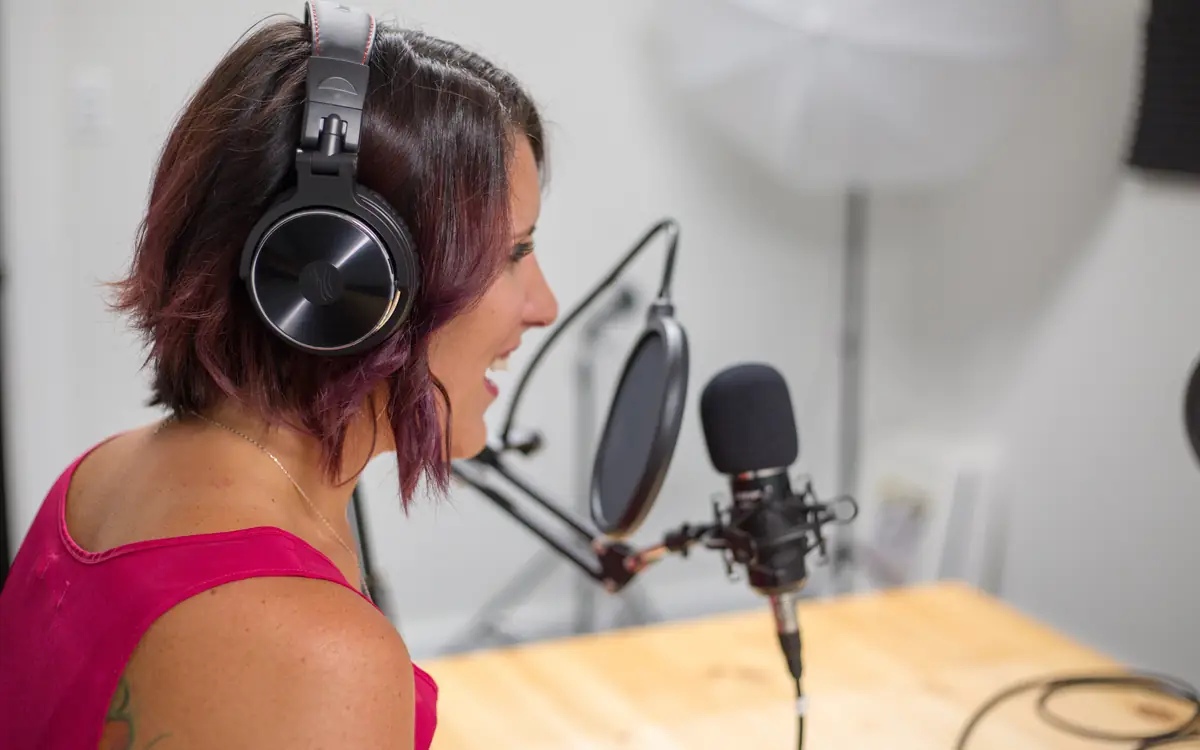
- Boom arm or stand: gets the mic close without it being in your hands.
- Pop filter or foam windscreen: reduces plosive "p" and "b" sounds.
- Furry windscreen: essential outdoors.
- Headphones: closed-back headphones for monitoring.
- Shock mount: reduces vibrations from desks.
Recording tips
- Distance: for dynamic mics, roughly a hand's width from your mouth is a common starting point; adjust by ear.
- Levels: aim for speech peaks well below the maximum to avoid clipping; you can raise volume later, but distortion cannot be fixed.
- Record a test every time, and listen back on headphones.
- Record a few seconds of silence for noise reduction in editing.
- Back up with a second recording if the content is irreplaceable.
Budget guidance
- Starter: a wired lavalier or an entry-level USB dynamic mic makes a dramatic difference.
- Mid-range: a wireless lav system or a USB/XLR hybrid dynamic mic covers most creators.
- Advanced: XLR microphones with a quality interface, and a shotgun for video.
The best microphone is the one you place correctly in a quiet room and use consistently. Start with the type that fits your format, learn to position it well, and upgrade only when you understand exactly what you want to improve.
Frequently asked questions
Do I need an audio interface? Only for XLR microphones. USB mics plug in directly.
What matters more: the mic or the room? Often the room. Soft furnishings and distance from walls reduce echo cheaply.