Lighting a Makeup Tutorial: Ring Lights, Softboxes, Windows and Colour Accuracy
How to light makeup tutorials so colours look accurate and skin looks real, comparing ring lights, softboxes and window light, with set-ups for every budget.
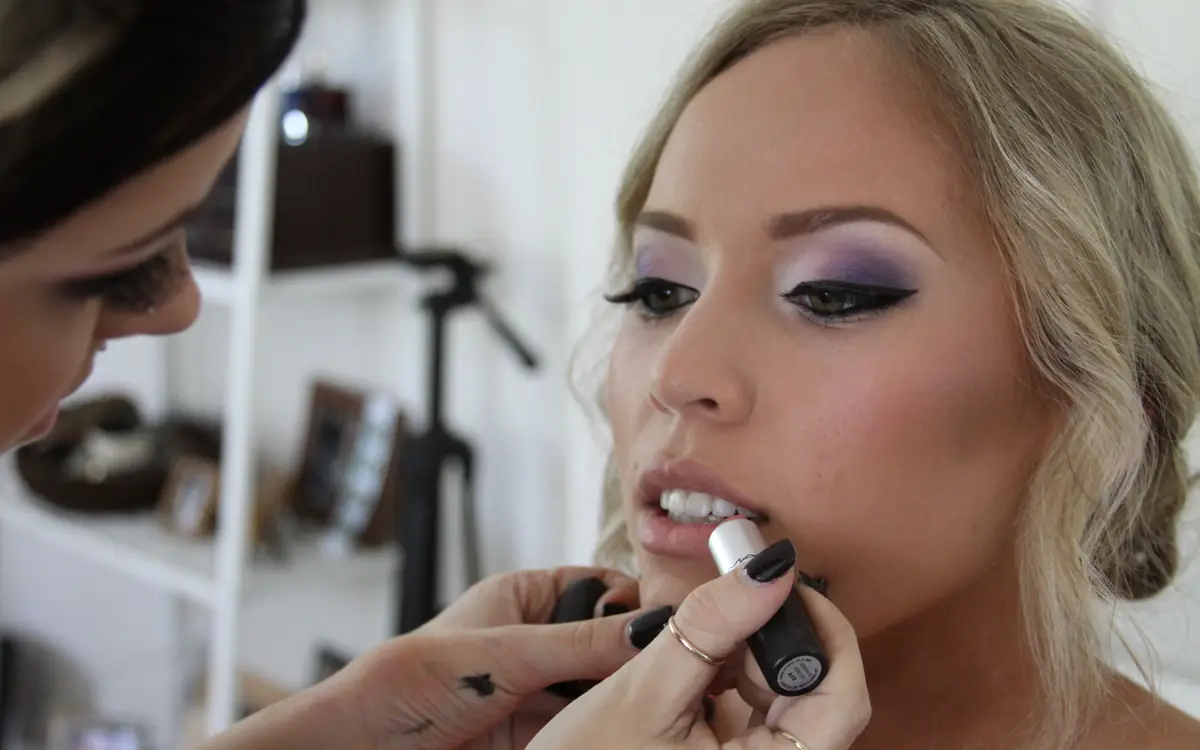
In makeup content, lighting is not just about looking good. It is about showing the truth: the real colour of a lipstick, the actual finish of a foundation, how a shimmer catches light. Poor lighting makes products look different from how they will look on a viewer's face, which undermines everything a tutorial is supposed to do.
What good beauty lighting does
- Shows accurate colour, so viewers can trust shades.
- Reveals texture in a realistic way, neither hiding everything nor exaggerating every pore.
- Lights the face evenly, without harsh shadows under the eyes, nose and chin.
- Stays consistent from one video to the next.
Colour temperature and CRI
Two numbers matter when choosing lights.
Colour temperature, measured in kelvin (K), describes how warm or cool light looks. Daylight is roughly 5,000 to 6,500K; household bulbs are often warmer, around 2,700 to 3,000K. For accurate makeup colour, many creators use lights around 5,000 to 5,600K. More importantly, keep all lights in a scene at the same temperature.
CRI (Colour Rendering Index) describes how accurately a light shows colours compared with natural light, on a scale up to 100. For beauty work, lights with a CRI of 95 or above are commonly recommended. Cheap LED lights with low CRI can make skin look greenish or flat and distort shades.
Many light manufacturers also publish TLCI or TM-30 ratings, which are additional measures of colour accuracy for video.
Option 1: Window light
Free and often beautiful.
How to use it: sit facing a large window, with the camera between you and the window. Soft daylight, ideally on an overcast day or from a north-facing window in the Northern Hemisphere, lights the face evenly and shows colour well.
Pros: free, flattering, accurate colour. Cons: changes throughout the day and with weather, which makes long tutorials inconsistent; unavailable in the evening.
Tip: hang a sheer white curtain to diffuse direct sun, and place a white board below your face, out of frame, to bounce light into shadows under the chin.
Option 2: Ring light
The classic beauty light.
How to use it: position the ring light directly in front of you, with the camera in the centre of the ring, at about eye level.
Pros: even, shadowless light; affordable; creates distinctive circular catchlights in the eyes; easy to set up in small spaces. Cons: flat light that can hide texture and dimension, so contour and highlight can look less defined than in real life; the circular reflection in the eyes is a recognisable style some find dated; reflective in glasses.
Tip: choose a ring light with adjustable colour temperature and a high CRI. Use it as a key light, but consider adding a second, softer light to one side to create some dimension.
Option 3: Softboxes
The photographer's choice.
How to use it: place one large softbox slightly to the side of the camera at roughly 45 degrees, angled down slightly toward your face. Add a second softbox or a reflector on the other side for fill.
Pros: soft, directional light that shows texture and dimension naturally; flattering; very controllable. Cons: takes up space; slightly more complex to set up.
Tip: the larger the light source and the closer it is to you, the softer the light. A large softbox close to the face gives beautiful, even light.
Option 4: LED panels
Flat LED panels with diffusers are versatile and compact.
Pros: portable, adjustable, often battery-powered. Cons: small panels can be harsh without diffusion; quality varies widely.
Tip: add a diffuser or bounce panels off a white wall to soften them.
Classic set-ups
Budget set-up
- Window light as the main source.
- A white foam board as a reflector.
- Shoot at the same time of day for consistency.
Mid-range set-up
- One high-CRI ring light or softbox as the key light.
- A reflector or second, weaker light for fill.
- Blackout or room lights off to avoid mixed colour.
Advanced set-up
- Two softboxes (key and fill) at 45 degrees either side.
- A hair or background light to separate you from the background.
- All lights matched in colour temperature, high CRI.
Avoid these mistakes
- Mixing light sources: warm room lights plus a daylight LED produce two colour casts on the face that cannot be corrected.
- Overexposing: too much light washes out colour and texture. Check your camera's exposure.
- Auto white balance: it can shift colour mid-video. Lock it in your camera settings.
- Beauty filters: they smooth skin and change colour, which misrepresents products.
- Lights too high: they create shadows under the eyes and nose.
Show products in more than one light
Viewers will wear products in all kinds of light: office fluorescents, daylight, evening lamps. For key products, show a quick clip in a different setting, such as walking to a window or stepping outside. It is one of the most useful things a beauty creator can do.
Camera settings
- Lock exposure and focus on your face.
- Lock white balance to match your lights.
- Turn off beauty modes and skin smoothing.
- Shoot at a consistent frame rate; 24, 25 or 30 frames per second is typical for tutorials.
Consistency is the goal
Viewers compare products across your videos. Mark the positions of your lights and camera on the floor with tape, note your camera settings and colour temperature, and set up identically every time. Consistency makes your content more trustworthy and makes editing easier.
Quick reference
| Light | Look | Best for |
|---|---|---|
| Window | Soft, natural | Daytime, budget, accurate colour |
| Ring light | Even, flat | Close-up tutorials, small spaces |
| Softbox | Soft, dimensional | Full-face, texture, professional look |
| LED panel | Versatile | Portable, fill light |
The best lighting set-up is the one that shows products as they really are and lets you set up identically every time. Get that right, and your tutorials become a reliable reference for your viewers.
Frequently asked questions
Why do my tutorials look orange? Usually mixed light sources or auto white balance drifting. Turn off room lights and lock white balance.